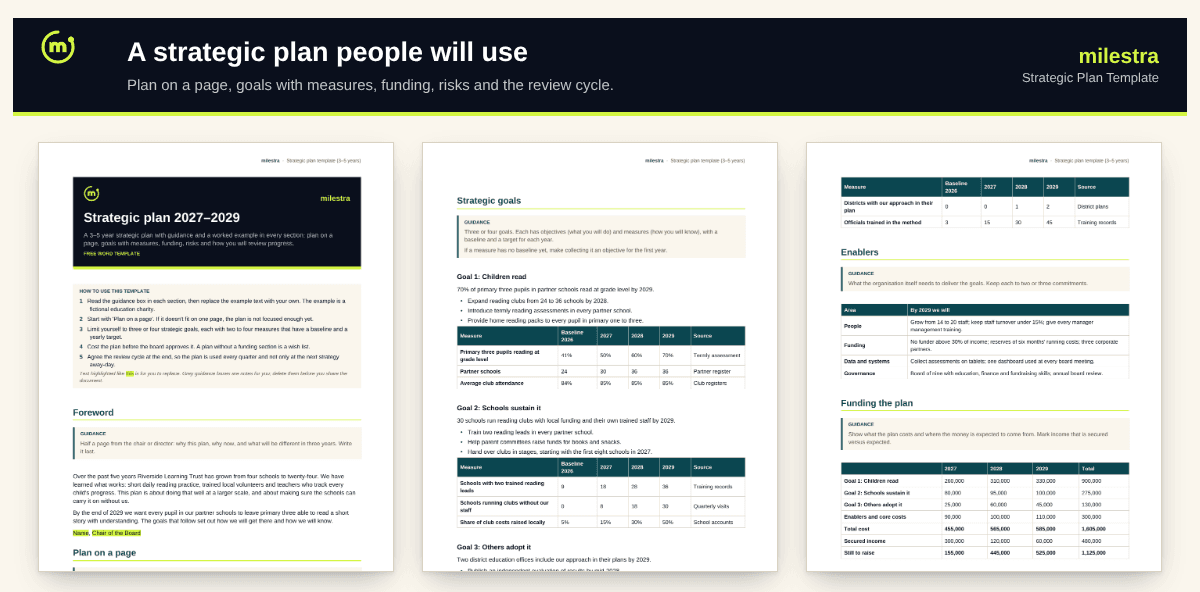
Free strategic plan template: a 3–5 year plan with a worked example in every section
Most strategic plans are written once and opened again at the next away-day. This template is built to be used: a plan on a page, three or four goals each with yearly measures, a costed funding section, the main risks and a review cycle, with guidance and a worked example in every section.
Word · 6 pages
Strategic plan template
A 3–5 year plan with guidance and a worked example: goals with measures, funding, risks and reviews.
Plan on a page for boards and funders
Goals with baselines and yearly targets
Costed funding section: secured vs to raise
Risks and a quarterly review cycle
Free · Opens in Word and Google Docs · Sent to your inbox
What's inside
Section
What it does
Foreword and plan on a page
Why this plan, and the vision, mission, goals, enablers and values in one table.
Where we are now
Context, what you've achieved, and strengths, weaknesses, opportunities and threats.
How change happens
A one-table theory of change with key assumptions.
Strategic goals
Three goals with objectives and measures: baseline and a target for each year.
Enablers, funding, risks and review
People, funding, systems and governance; cost by goal against secured income; main risks; who reviews what and when.
How to use it well
Write the plan on a page first. If it doesn't fit on one page, the plan isn't focused enough yet.
Limit yourself to three or four goals. More than that and none of them get enough attention or money.
Give every goal measures with baselines. If you don't have a baseline, collecting it is a first-year objective.
Cost the plan. Show cost by goal and how much is secured. A plan without funding is a wish list.
Agree the review cycle. Quarterly reviews keep the plan alive; put the dates in the diary when it's approved.
Write the foreword last. By then you know what will be different in three years.
Skip the spreadsheet
Turn this plan into goals people update every week
Milestra turns each strategic goal into objectives and key results with owners. Short weekly check-ins keep progress current, and the board report builds itself from live results. Free for up to 5 people, and nonprofits get 50% off paid plans.
Three to five. Three years suits fast-changing contexts and smaller organisations; five suits larger ones with long funding cycles. Review either way every year.
What's the difference between a goal, an objective and a measure?+
A goal is the change you want by the end of the plan. Objectives are what you'll do to get there. Measures are the numbers that show whether it's working, each with a baseline and target.
Do we need a theory of change?+
A short one helps: it makes your assumptions visible so you can test them. One table, as in the template, is enough for most plans.
Who should write it?+
The director and senior team draft it, with input from staff, the people you serve and partners. The board challenges and approves it.
Is the example real?+
No. The example is a fictional education charity, so every section shows what good looks like. Replace it with your own.
Does it work in Google Docs?+
Yes. Upload the .docx file to Google Drive and open it with Google Docs. Headings, tables and highlighting carry over. It also opens in Microsoft Word 2016 or later and LibreOffice.
Is it really free?+
Yes. Enter your email and we send the file straight to your inbox. Use it and share it inside your organisation as often as you like.